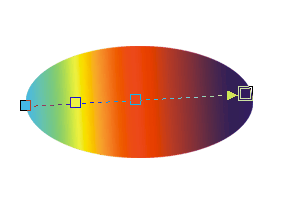
Color nodes are solid color squares that mark the beginning and the end of the gradient arrow you created with the Interactive fill tool. The Midpoint slider controls where the two colors intersect along the arrow.
You can have more than two color nodes, and you can combine more than two colors. Drag a color swatch anywhere along the gradient arrow to create a color node.