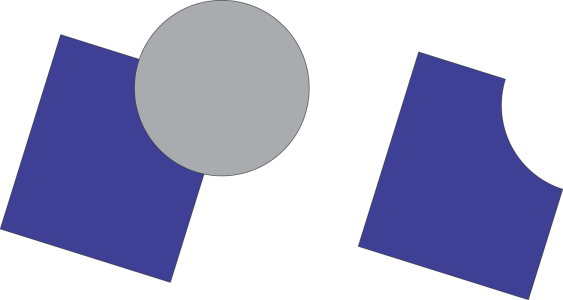
Trimming creates irregularly shaped objects by removing object areas that overlap. You can trim almost any object, including clones, objects on different layers, and single objects with intersecting lines. However, you cannot trim paragraph text, dimension lines, or masters of clones.
Corel DESIGNER lets you trim objects in different ways. You can use a front object as the source object to trim an object behind it, as well as use the back object to trim a front object. You can also remove hidden areas of overlapping objects, so that only the visible areas remain in the drawing. Removing the hidden areas can reduce file size when you convert vector graphics to bitmaps.

 Shaping

