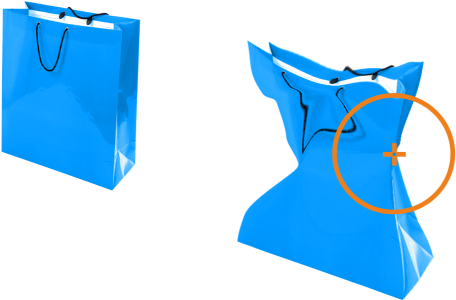
The Attract and Repel tools let you shape image areas by pulling or pushing away pixels. To control the shaping effect, you can change the size of the brush nib and the speed at which the pixels are attracted or pushed away, and you can use the pressure of your digital pen.
Using the Attract tool to reshape an image area
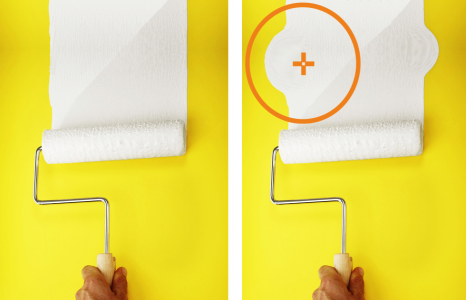
Using the Repel tool to reshape an image area
| To reshape an image area by pulling or pushing away pixels |

|
| 1 . | In the toolbox, click one of the following tools: |
| • | Attract  |
| • | Repel  |
| 2 . | Click in the image, and hold down the mouse button. |
|
Type a value in the Nib size box on the property bar.
To change the size of the brush nib, you can also drag in the image window while holding down Shift. Drag towards the nib’s center to decrease the radius, or away from the nib’s center to increase it.
|
|
|
Type a value in the Rate box on the property bar.
|
|
|
Click the Pen pressure button
 on the property bar. on the property bar. |

The features documented in the Help are available in the full version of CorelDRAW Graphics Suite 2019. Some features may not be available in this version of the product.
