In Corel PHOTO-PAINT, the colors of images are defined by color modes. Computer monitors display images in the RGB color mode; images in Corel PHOTO-PAINT are created in the RGB color mode by default. You can convert images to different color modes, depending on their intended use. For example, it is recommended that images sent for high-end printing be in the CMYK color mode. For the World Wide Web, photos should be in the RGB color mode and GIF images should be in the paletted color mode.
The features documented in the Help are available in the full version of CorelDRAW Graphics Suite 2020. Some features may not be available in this version of the product.



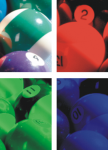



 Lab color (24-bit)

