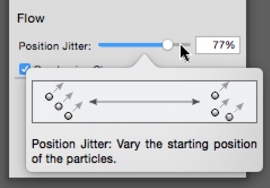
| • | To access Hints |
| • | To set tooltip preferences |
| To access Hints |

|
| • | Choose Help  Hints. Hints. |
| To set tooltip preferences |
|
| 1 | Do one of the following: |
| • | (macOS) Choose Corel Painter 2018 Preferences General. |
| • | (Windows) Choose Edit Preferences General. |
| 2 | In the Tooltips area, enable one of the following options: |
| • | Text and images |
| • | Text only |
| 3 | Restart Corel Painter. |
Copyright 2017 Corel Corporation. All rights reserved.
