Using paper to create texture
You can add texture to an image by incorporating paper texture. This allows you to give the appearance of depth to brushstrokes. Corel Painter uses the paper surface and grain to produce the effect. You can choose a specific paper texture, or Corel Painter applies the currently selected paper texture to the image by default.
If you want to experiment with the effect, keep the Papers panel open while you apply the effect. This way you can switch to different papers and modify the paper controls.
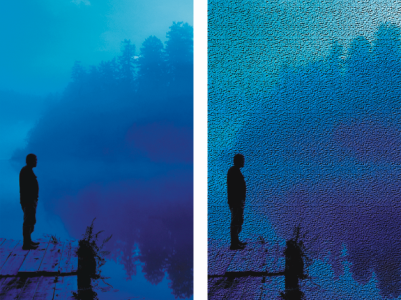
Before (left) and after (right) creating texture by using paper grain
To create surface texture by using paper


• A selection — Click a selection tool from the toolbox, and drag in the document window to select an area.
6
Adjust any of the Apply Surface Texture controls. For more information, see Apply Surface Texture controls.