| • | To invert colors |
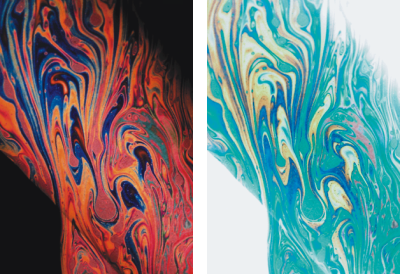
The Negative effect inverts all the colors in an image, or in the selected layer.
Positive (left) and negative (right) versions of an image.
| To invert colors |

|
| 1 | To apply the effect to: |
| • | The canvas — Click the Canvas in the Layers panel. |
| • | A selection — Click a selection tool from the toolbox, and drag in the document window to select an area. |
| • | A layer — Click a layer in the Layers panel. |
| 2 | Choose Effects  Tonal Control Negative. Tonal Control Negative. |
Copyright 2016 Corel Corporation. All rights reserved.
