
| • | To change a layer’s opacity |
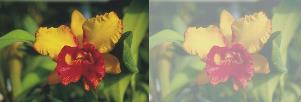
You can adjust a layer’s opacity to create different levels of transparency. The Opacity slider covers a range of 0% (completely transparent) to 100% (completely opaque).
| To change a layer’s opacity |
|
| 1 | Select the layer you want to change. |
| 2 | In the Layers panel, do one of the following: |
| • | Move the Opacity slider  . . |
| • | Type a percentage in the Opacity box, and press Return (Mac OS) or Enter (Windows). |
Copyright 2013 Corel Corporation. All rights reserved.
