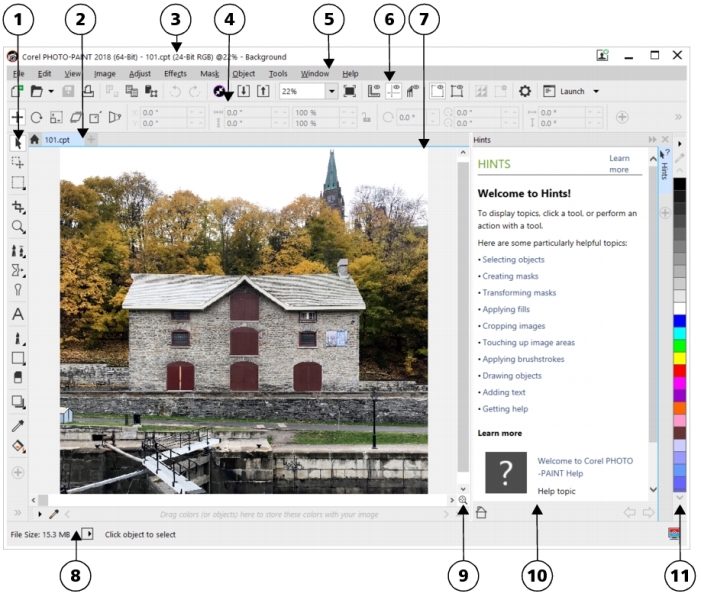
The application window appears below.
|
A window that provides access to additional commands and image information. Some dockers provide a visual display area. The Hints and Object manager dockers are displayed by default.
|
|
You can customize many of the elements in the application window to suit your workflow. For information about customizing Corel PHOTO-PAINT, see Customizing CorelDRAW.

Some features described in the Help are not included in this version of the product, and are available only in CorelDRAW Graphics Suite 2018.
Copyright 2018 Corel Corporation. All rights reserved.
