Vibrance
The Vibrance filter allows you to increase the saturation in an RGB image without causing clipping or "blowing out" the image. Clipping occurs when an area of an image is too bright and the color details in the area are lost, which can occur when you increase the saturation in an image indiscriminately. The Vibrance filter adjusts saturation proportionally by increasing the saturation of the less-saturated colors more than that of the saturated colors. This filter is useful for adjusting the saturation of images that include a person in front of a detailed background. For example, it allows you to boost the saturation of the background details without adversely affecting the skin tone of the person in the image.
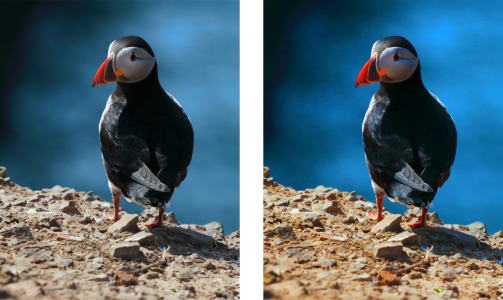
A photo before (left) and after (right) applying the Vibrance filter.

You can access this adjustment from the Adjustments inspector or the Adjust menu.