Quick links to procedures on this page:
• |
• |
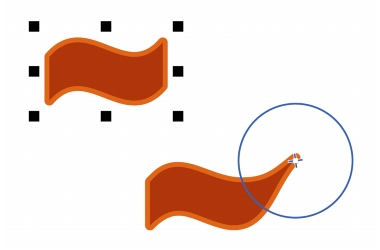
The Attract and Repel tools let you shape objects by attracting nodes or pushing nodes away. To control the shaping effect, you can vary the size of the brush nib and the speed at which the nodes are attracted or pushed away, and you can use the pressure of your digital pen.
Using the Attract tool to shape an object
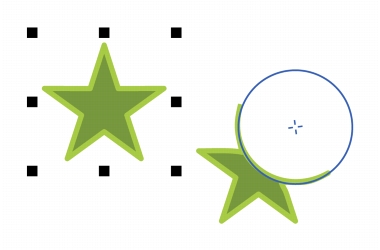
Using the Repel tool to shape an object
| To shape an object by attracting nodes |  |
1. |
Select an object by using the Pick tool
 . .
|
2. |
In the toolbox, click the Attract tool
 . .
|
3. |
Click inside or outside the object, close to its edge, and hold down the mouse
button to reshape the edge. For a more pronounced effect, drag while holding
down the mouse button.
|
| To shape an object by pushing nodes away | |
1. |
Select an object by using the Pick tool
.
|
2. |
In the toolbox, click the Repel tool
 . .
|
3. |
Click inside or outside the object, close to its edge, and hold down the mouse
button to reshape the edge. For a more pronounced effect, drag while holding
down the mouse button.
|

|
Copyright 2012 Corel Corporation. All rights reserved.
 on the property bar.