Quick links to procedures on this page:
• |
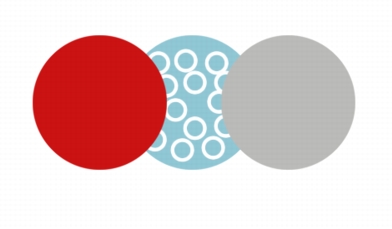
You can protect the area that surrounds an object, so you can isolate any changes that you make to the selected object only. For example, you can apply brushstrokes to an object, without applying unintentional strokes of color beyond the object’s border.
The area surrounding the blue circle is protected. As a result, the white bubble brushstrokes are not applied to the red and gray circles.
| To protect the area around an object |  |
1 |
Click Window  Dockers Objects. Dockers Objects.
|
2 |
In the Objects docker, click an object.
|
3 |
Click the Lock transparency button  . .
|

|
Copyright 2010 Corel Corporation. All rights reserved.