Lenses change how the object area beneath the lens appears, not the actual properties and attributes of the objects. You can apply lenses to any vector object bitmap To apply a bitmap effect to an image area.
After you apply a lens, you can copy it and use it with another object.
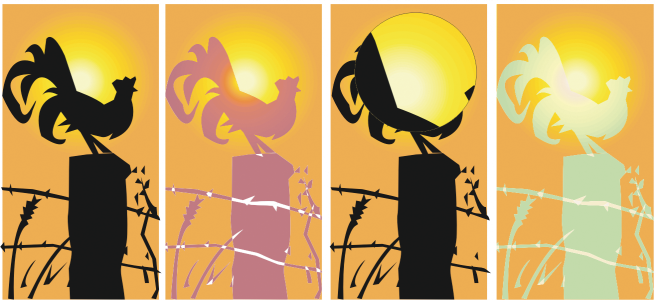
The lens types applied to the original (far left): (left to right) Heat map , Magnify , and Custom color map
The following are the types of lenses that you can apply to objects.
You cannot apply the lens effect directly to linked groups such as contoured objects extruded drop shadows Artistic media tool
2 .
Click Object Copy effect Lens from .
The features documented in the Help are available in the full version of CorelDRAW Graphics Suite 2020. Some features may not be available in this version of the product.
This site works best with JavaScript enabled

 Lens.
Lens. .
.

