Corel DESIGNER (CorelDRAW Technical Suite March 2022 Subscriber Update)
New! Share ideas and provide feedback
Make suggestions about CorelDRAW Technical Suite directly from within the applications, and then other users can evaluate and give feedback on your ideas. You can also review and vote on recommendations from others. For more information, see Submit feedback.
Improved thumbnail previews in the Pages docker in Corel DESIGNER simplify working with pages. Plus, you can now quickly insert pages after the active page, without having to rearrange pages manually.
Resize pages interactively in multipage view as if they were standard rectangle objects. To resize pages from the center, simply hold down Shift when dragging a handle.
Switching to multipage view automatically zooms to show all pages; switching to single page view zooms to fit the active page in the drawing window.
The new Show Spreads command in the Pages docker in Corel DESIGNER makes it easy to toggle between showing spreads of facing pages and single page thumbnails. When you view spreads as single page thumbnails, you can move any facing page by dragging it within the Pages docker or moving its page tab in the document navigator. For more information, see To move a facing page.
Plus, the improved tabs in the document navigator clearly show spreads of facing pages for easier page navigation.
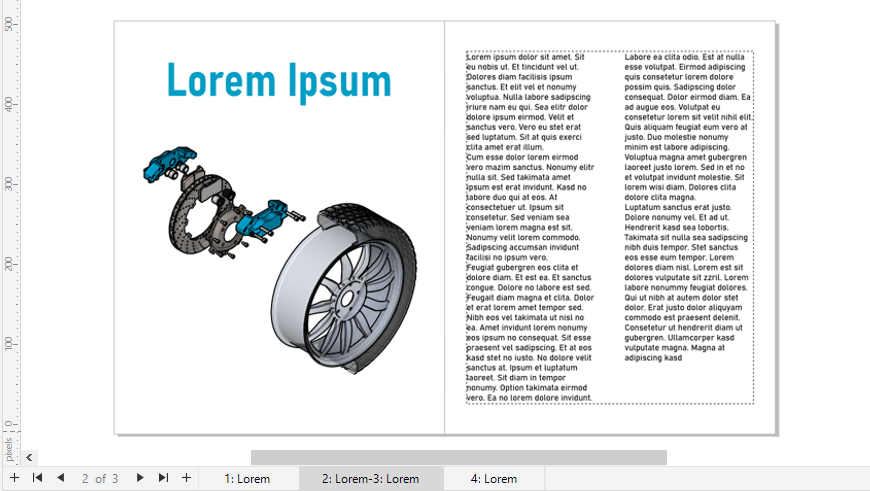
The tab for the second and third page shows that they are facing pages.
The Export docker features expanded file support, letting you export assets to the TIFF and EPS file formats. Plus, you can select all assets with a single click, which makes it easier to export all assets at once or remove all items from the export list.
The new default list view and improved thumbnails of Cloud assets make it easier to view and use your content. Syncing assets from the Cloud is faster and more reliable. Plus, when using linked symbol libraries, you can restore broken links and regain access to the symbols in the libraries with ease.
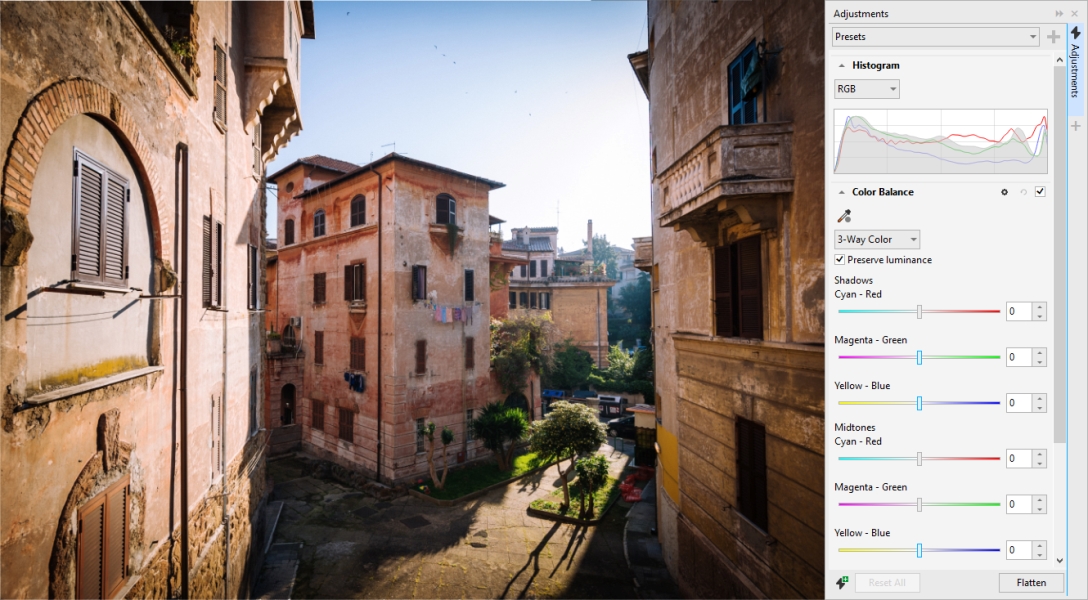
In CorelDRAW Technical Suite March 2022 Subscriber Update, adjustment presets have been completely rebuilt. You can now create multi-filter adjustment presets non-destructively in Corel PHOTO-PAINT, and apply these presets in both Corel DESIGNER and Corel PHOTO-PAINT. When you achieve a favorite image-editing result, you can easily combine and save the adjustment filter settings for quick and easy reuse in other projects.
You can also organize your presets into custom categories or simply assign them to default categories. In addition, you can jump-start your editing process by choosing from a collection of carefully curated and tested preset styles, which include Black & White, Color, and Tone categories.
New and enhanced! Adjustments and special effects
Corel DESIGNER provides five new adjustment filters and 19 effects for working with bitmaps, all accessible from the Effects menu.
Enhanced! Adjustments docker performance
With Corel PHOTO-PAINT, you will experience an impressive boost in image-editing speed when using the Adjustments docker. The improved display caching system means that adjustment filters will be fluid and responsive, particularly when zooming in on smaller image details and areas. In addition, support for multi-core processing in both Corel DESIGNER and Corel PHOTO-PAINT makes applying adjustments in either application a breeze.