Quick links to procedures on this page:
• |
• |
Corel PHOTO-PAINT lets you undo actions you apply to an image, starting with the most recent action. If you don’t like the result of undoing actions, you can redo them. You can undo or redo actions applied to an image, such as a brushstroke, an effect, or a transformation; however, you cannot undo or redo actions applied to the workspace, such as changing preferences.
The undo settings can be customized, allowing you to increase or decrease the number of actions you can undo and redo.
Keep in mind that the higher the number of actions in the undo list, the more memory is required to maintain the undo list. You can free memory by permanently clearing all actions from the undo list.
You can also restore parts of an image by erasing the last action. For more information, see Erasing image areas.
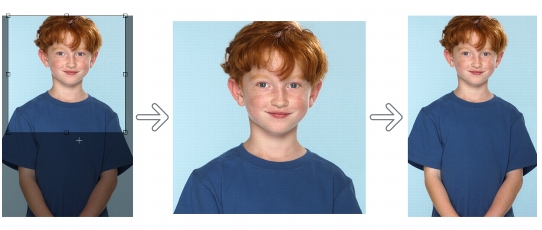
Left to right: Original image; cropped image; undoing the cropping action restores the dimensions of the image.
| To undo or redo actions |  |
 |
When you undo a series of actions, the action you choose and all actions listed
below it are undone.
|
When you redo a series of actions, the action you choose and all actions listed
between it and the last undone action are redone.
|
| To customize undo settings | |
1. |
Click Tools  Options. Options.
|
2. |
In the Workspace list of categories, click General.
|
3. |
In the Memory area, type a value in the Undo levels box.
|
|
You can specify up to 99 undo levels; however, the number of undo levels
affects the size of the swap disk. Reduce the number of undo levels if you find
that your computer is not operating at the speed you want.
|
If you disable the Enable undo list check box, you will be able to undo only
the number of levels specified in the Undo levels box. With the check box
enabled, you can undo all changes you made to the image from the Undo
docker, regardless of how many undo levels you’ve specified. Note that the
number of undo levels will still be limited if you are using menu commands,
and not the Undo docker, to undo your actions.
|

|
Copyright 2012 Corel Corporation. All rights reserved.