CorelDRAW 2020 offers time-saving features built to speed up teamwork on projects.
A new workflow makes collaborating with colleagues and clients easier than ever. Using new collaboration features in CorelDRAW 2020 in tandem with CorelDRAW.app and Corel Cloud, teams can easily review designs, and feedback can be implemented faster. For more information, see Collaboration workflow.
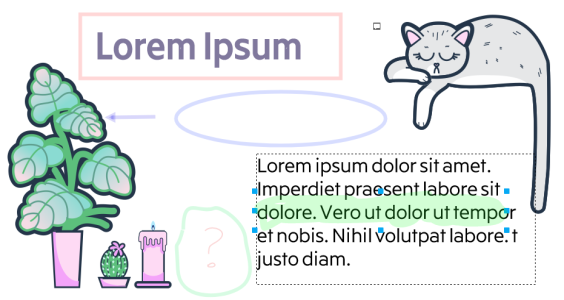
The new Annotation tools in CorelDRAW 2020 empower teamwork and help stakeholders work collectively. You can add a note icon, mark up a document with arrows, rectangles, ellipses as well as straight and free-form lines. Then, add a comment to clarify each markup. For more information, see Review and provide feedback.
Review designs with dedicated annotation tools
New! Comments docker
The new Comments docker in CorelDRAW 2020 acts as your collaboration hub, where you can view, respond to, and resolve feedback, as well as add annotations and notes of your own. This also means no more marked-up PDFs or image files, saving you time and screen space.
New! Collaboration sign-in options

The features documented in the Help are available in the full version of CorelDRAW Graphics Suite 2020. Some features may not be available in this version of the product.
